Cocos MCP 3.x Pro: AI Plugin for Cocos Creator 3.x

Cocos MCP 3.x Pro connects Cocos Creator 3.8.6+ to compatible AI clients through Model Context Protocol. It provides 16 intent-level tools covering 231 operations across 12 domains, using Streamable HTTP. Supports Windows and macOS.

Tool coverage

Scenes, nodes, components, Prefabs, assets, editor control, UI and templates, animation and Spine, font labels, knowledge-base queries, validation and snapshots, and token optimization.

Open-source and Pro editions

The open-source edition is free on GitHub and provides basic tools over HTTP. Pro adds Streamable HTTP, token optimization, operation codes, one-click client configuration, dynamic screenshot verification, tool customization, one-click scene creation, and a built-in knowledge base.

Licensing

Sign in with your VberAI account or use an activation code. A free trial and paid licenses are available. Pro offers monthly, yearly, and lifetime licenses.

Data handling

Project content is read only when an operation requires it, and edits are applied locally. MCP does not proactively upload project source code or assets to VberAI servers. Whether tool results are sent to the cloud depends on your AI client and model. Login credentials stay in the local user directory. Account and license checks require an internet connection.
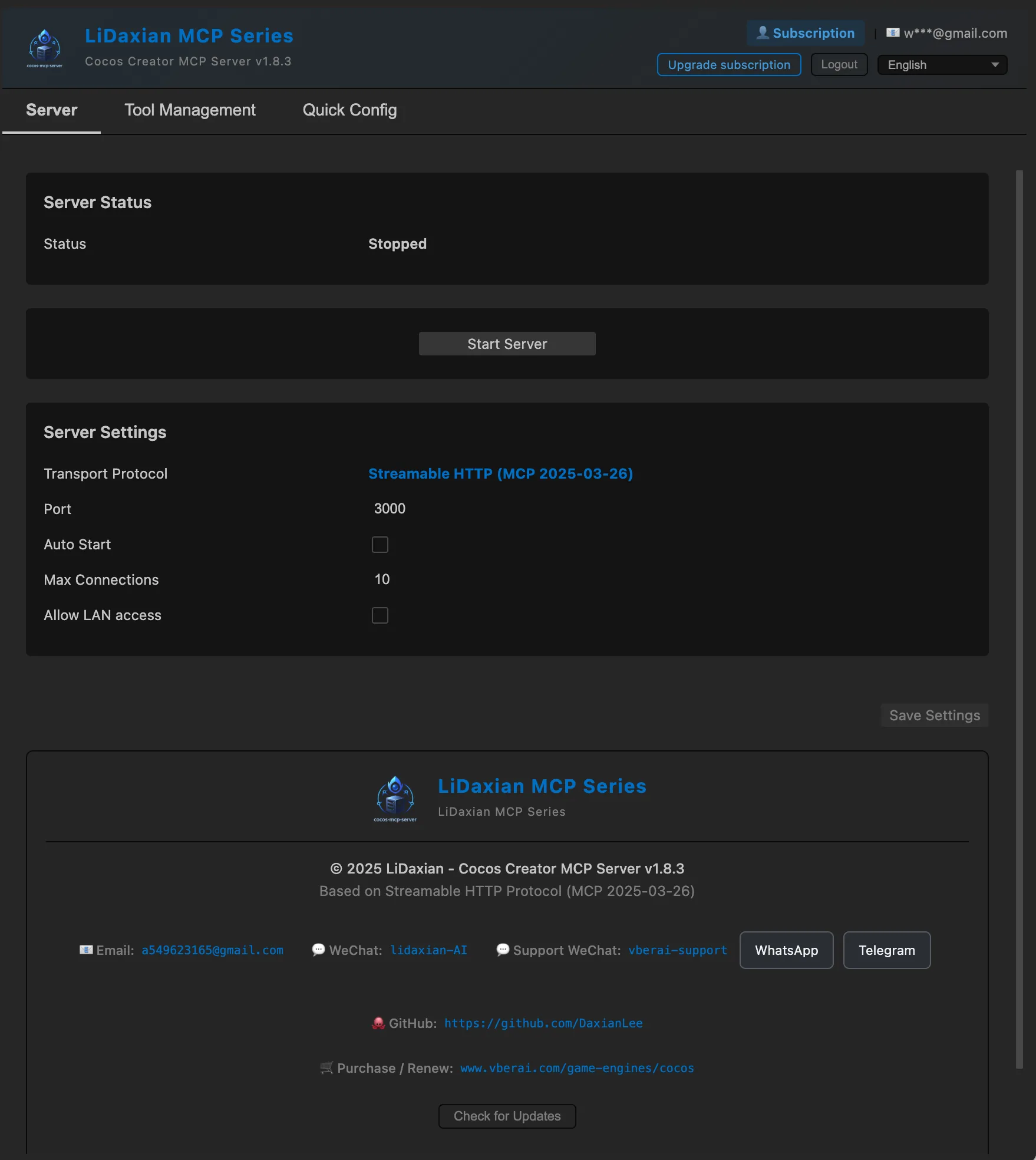
Cocos MCP 3.x Pro v1.8.3
Pro Edition · Subscription

Cocos Creator 3.x MCP

v1.8.3
Cocos Creator 3.8.6+
简体中文 | English | 日本語 | 한국어 | Français | Deutsch | Español | Português | Русский | Tiếng Việt | العربية

Professional MCP plugin built for Cocos Creator 3.8.6+. 16 intent-level tools covering 231 operations, spanning scenes, nodes, components, Prefabs, assets, editor control, UI & template building, animation & Spine, font labels, knowledge base, validation & snapshots, token optimization and more. Built on Streamable HTTP with one-click AI client onboarding; AI can execute operations in the editor and verify results step by step.

Free to use with a VberAI Studio Enhanced version subscription or above

GitHub Open Source

Pro Edition Core Features

16 intent-level tools, 231 operations, across 12 workflow domains in Cocos Creator 3.x

Scenes

Open, save, create and switch scenes with hierarchy queries and snapshots; inspect and operate the Scene view, node layout, cameras and the active edit frame. Supports undo and script execution.

Nodes

Full node CRUD, batch edits, script attachment, type detection, and clipboard operations.

Components

add, remove, query and set properties; click events and batch event setup.

Prefabs

Prefabs: create and instantiate Prefab assets, edit-mode switching, apply/revert overrides and Prefab validation.

Assets

query, search, CRUD and import; dependency analysis and UUID/path conversion.

Editor Control

Run menu commands, manage project settings, and control scene state and in-editor operations.

UI & Template Building

UI & template building: one-click UI, JSON trees for hierarchies and built-in templates for rapid UI.

Animation & Spine

39 animation ops, keyframes, curves, events, presets and Spine skeleton management.

Font Labels

Font labels: create and configure Label components—font, size, alignment and overflow.

Knowledge Base

Knowledge base: built-in component properties, UI rules, layout patterns and best practices for AI lookup.

Validation & Snapshots

Validation & snapshots: scene layout and asset reference checks, hierarchy analysis and snapshot regression, with dynamic screenshot verification and component research.

Token Optimization

Optimized MCP tool and response design to cut redundant context, using fewer tokens per call with greater stability.

Why Choose Pro

Pro version provides a more stable and efficient development experience

Open Source

Free

Pro

$49.99$99.99

Communication Protocol

HTTP Protocol
Streamable HTTP

Token Optimization

Basic design
Optimized for fewer tokens and greater stability

Operation Codes

One-click Config

Tool Customization

Intent-Recognition Tools

Basic tools
16 intent-level tools covering 231 operations

One-Click Scene Creation

Built-in Knowledge Base

Dynamic Screenshot Verification

Free to use with a VberAI Studio Enhanced version subscription or above

Choose Your Plan

Flexible licensing plans for every developer

2 YEARS

Recommended
Offline Activation Edition
$49.99$99.99
730 days
  • 2 devices included
  • Full features
  • Best value
Extra Devices
0

$19.99/device, up to 18

Free

Free
Offline Activation Edition
Free
3 days
  • 1 devices included
  • Full features
  • Cancel anytime

30 DAYS

Offline Activation Edition
$5.99
30 days
  • 2 devices included
  • Full features
  • Cancel anytime
Extra Devices
0

$2.99/device, up to 18

180 DYAS

Offline Activation Edition
$19.99
180 days
  • 2 devices included
  • Full features
  • Best value
Extra Devices
0

$9.99/device, up to 18

VberAI Login vs. Offline Activation

What is VberAI login?

Sign in with your VberAI account and use this MCP for free while your VberAI Studio subscription covers it — no extra purchase and no activation code required.

What is offline activation?

No sign-in needed — activate with an activation code. It is purchased separately and is independent of a VberAI subscription.

VberAI Studio

Design game art faster with VberAI Studio

Design game-art assets fast and export your designs in one click to engine-ready scenes and prefabs for Cocos, Unity, Godot and more. Paired with MCP, it's a one-stop, end-to-end AI game development workflow.

Frequently Asked Questions

Common questions about Cocos MCP 3.x Pro

Start

Ready to Boost Your Cocos Development Efficiency?

Get Pro for more stable and efficient development with Streamable HTTP and operation codes

Free to use with a VberAI Studio Enhanced version subscription or above

View Other Plugins