Cocos MCP 2.x Pro — AI Plugin for Cocos Creator 2.4.x+

What is Cocos MCP 2.x Pro? A professional Model Context Protocol plugin tailored to Cocos Creator 2.4.x+. Many studios still maintain shipped or live-ops 2.x titles; Cocos MCP 2.x brings AI-driven scene editing, node and component management, script generation, and asset operations to those projects via Claude, Cursor, Windsurf, and other MCP clients.

Supported workflows

  • JavaScript / TypeScript component generation tuned for Cocos Creator 2.x.
  • Scene editing — node creation, hierarchy management, property mutation.
  • Component management via AI prompts.
  • Asset import, organization, and optimization.
  • Prefab creation and editing.
  • Script authoring and attachment.

2.x vs 3.x

Use Cocos MCP 2.x Pro when the live project is on Cocos Creator 2.4.x and porting is impractical. For new builds on Cocos Creator 3.8.6+, choose Cocos MCP 3.x Pro instead.

Data handling

Project content is read only as an operation needs it, and edits are applied on the machine. MCP does not proactively upload project source or assets to VberAI servers; whether tool results are sent to the cloud depends on the AI client and model. Login credentials stay in the local user directory; account and license checks require a network connection.

16 intent tools, 135 operations, 12 domains, Cocos Creator 2.4.x+. Domains: JS/TS components, scenes, nodes, assets, Prefabs, scripts, UI and template building, animation and Spine, font labels, knowledge base, dynamic screenshot verification, and automated debugging. For projects that stay on 2.x; Cocos Creator 3.8.6+ should use Cocos MCP 3.x. VberAI account sign-in or activation code; free trial and paid licenses.
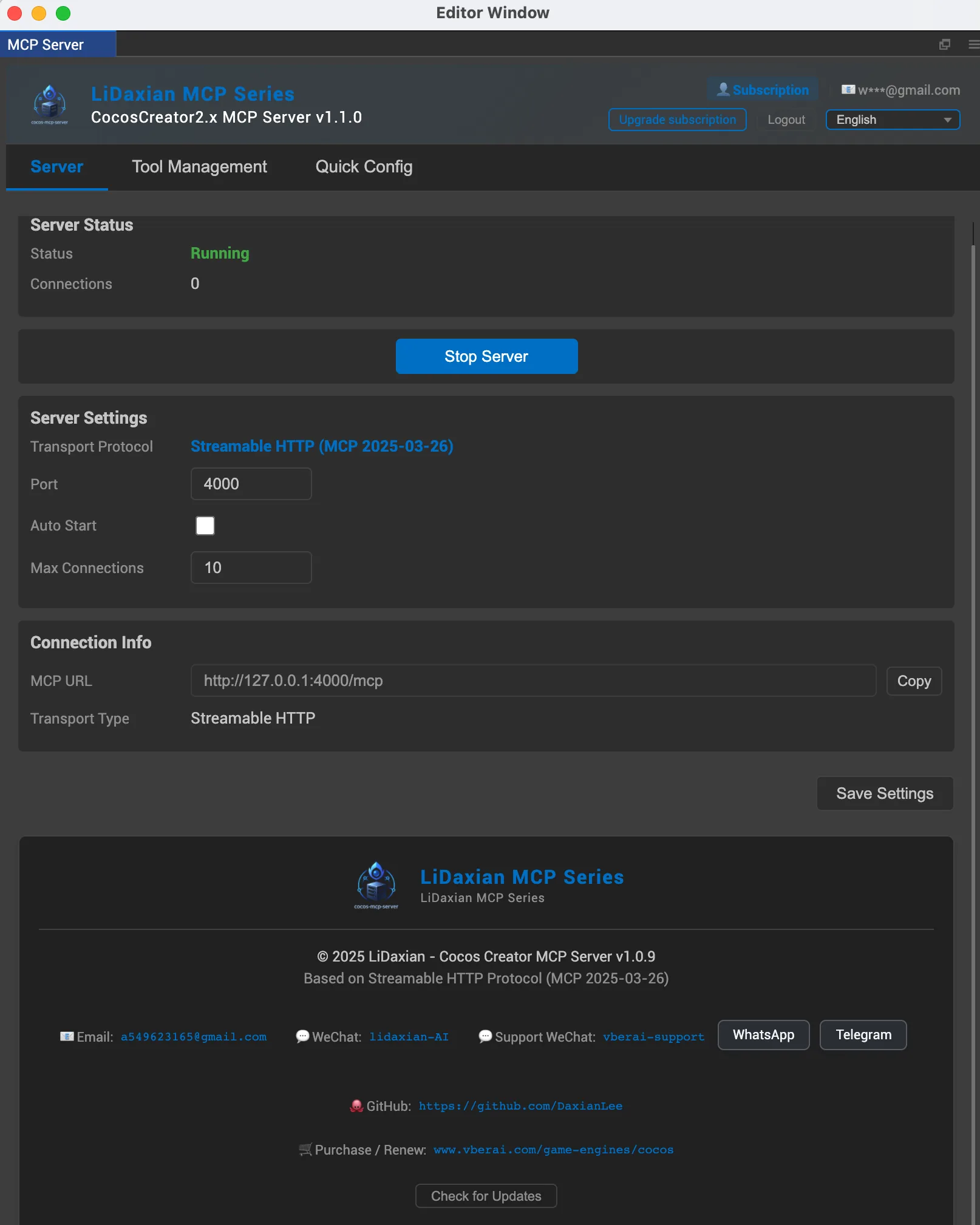
Cocos MCP 2.x Pro v1.1.0
Pro Edition
Cocos Creator 2.x

Cocos Creator 2.x MCP

v1.1.0
Cocos Creator 2.4.x+
简体中文 | English | 日本語 | 한국어 | Français | Deutsch | Español | Português | Русский | Tiếng Việt | العربية

Professional MCP plugin built for Cocos Creator 2.4.x+. 16 intent-level tools covering 135 operations across JS/TS components, scenes, nodes, assets, Prefabs, scripts, UI and template building, animation and Spine, font labels, knowledge base, dynamic screenshot verification, and automated debugging. For teams still shipping on Creator 2.x, Pro connects your MCP client in one click—AI edits scenes, writes and attaches JS/TS, and checks layout and runtime behavior step by step.

Free to use with a VberAI Studio Pro Version subscription or above

Pro Edition Core Features

16 intent-level tools covering 135 operations across the entire Cocos Creator 2.x workflow

JS/TS Components

Add, remove, query and modify components, supports button event binding and batch event configuration.

Scenes

Open, save, create and switch scenes, hierarchy queries, supports scene readiness checking.

Nodes

Full node CRUD, supports find, modify properties, move and duplicate.

Assets

Asset query, search, CRUD and import, supports asset database refresh and UUID conversion.

Prefabs

Create, instantiate and unlink prefabs, supports prefab file listing and deletion.

Scripts

Create, find, and edit JS/TS scripts, then attach them to nodes and wire them through components.

UI and Template Building

One-click UI creation, JSON tree building for complete node hierarchies, built-in UI templates for rapid interface setup.

Animation and Spine

Animation playback control, property modification and preset application, supports Spine skeletal animation and text/font management.

Font Labels

Set text and font assets, including size, alignment, and style, for 2.x interface copy.

Knowledge Base

Built-in component properties, UI design rules, layout patterns and best practices for precise AI development.

Dynamic Screenshot Verification

Automatically captures off-screen scene snapshots so AI can instantly review the frame after each operation, paired with scene regression checks to keep layout and UI what-you-see-is-what-you-get.

Automated Debugging

AI intelligently analyzes project issues, automatically locating errors and providing fix suggestions, paired with scene validation to accelerate the debugging workflow.

Why Choose Pro

Pro version provides a more stable and efficient development experience

Open Source

Free

Pro Version

Communication Protocol

HTTP Protocol
Streamable HTTP

Token Optimization

Basic design
Optimized, more efficient & stable

Operation Codes

One-click Config

Tool Customization

Intent-Recognition Tools

Basic tools
16 intent-level tools covering 135 operations

One-Click Scene Creation

Built-in Knowledge Base

Dynamic Screenshot Verification

Choose Your Plan

Flexible licensing plans for every developer

2 YEARS

Recommended
Offline Activation Edition
$49.99$99.99
730 days
  • 2 devices included
  • Full features
  • Best value
Extra Devices
0

$19.99/device, up to 18

Free

Free
Offline Activation Edition
Free
3 days
  • 1 devices included
  • Full features
  • Cancel anytime

30 DAYS

Offline Activation Edition
$5.99$9.99
30 days
  • 2 devices included
  • Full features
  • Cancel anytime
Extra Devices
0

$2.99/device, up to 18

Offline Activation Edition
$19.99
180 days
  • 2 devices included
  • Full features
  • Best value
Extra Devices
0

$9.99/device, up to 18

VberAI Login vs. Offline Activation

What is VberAI login?

Sign in with your VberAI account and use this MCP for free while your VberAI Studio subscription covers it — no extra purchase and no activation code required.

What is offline activation?

No sign-in needed — activate with an activation code. It is purchased separately and is independent of a VberAI subscription.

VberAI Studio

Design game art faster with VberAI Studio

Design game-art assets fast and export your designs in one click to engine-ready scenes and prefabs for Cocos, Unity, Godot and more. Paired with MCP, it's a one-stop, end-to-end AI game development workflow.

Frequently Asked Questions

Common questions about Cocos MCP 2.x Pro

Start

Ready to Boost Your Cocos Creator 2.x Development Efficiency?

Get Pro version to empower your Cocos Creator 2.x projects with AI

Free to use with a VberAI Studio Pro Version subscription or above

View Other Plugins