Godot MCP — AI Plugin for Godot 4.x

What is Godot MCP? Godot MCP v1.0.0 is Model Context Protocol plugin for Godot Engine 4.x, built as a native C++ GDExtension. It ships 74 tools across 23 capability categories and connects Godot to Claude, Claude Code, Cursor, Windsurf, Cline and other MCP clients. Native installers for Windows (x86_64) and macOS (Apple Silicon); works with both GDScript and C# projects.

Capability coverage

  • Editing & building (21 tools) — create / open / save scenes, full node operations, GDScript authoring & validation, atomic node-tree creation, UI templates & themes.
  • Runtime (5 tools) — launch / stop the game, read logs & errors, inspect and control the live scene tree, simulate input, capture frames.
  • Assets & presentation (30 tools) — resources, files & project search, animation, shaders, TileMaps, particles, audio, navigation.
  • Project & editor (11 tools) — project settings, input maps, autoloads, editor control, batch refactoring, scene lint.
  • Debug & helpers (7 tools) — logs, profiler, ClassDB reflection, built-in Godot 4 knowledge base, QA assertions, live capability index.

Key facts

  • Native C++ GDExtension. Free trial and paid licenses via VberAI account sign-in or an activation code.
  • Godot 4.x only — Godot 3.x not supported.
  • Windows (x86_64) and macOS (Apple Silicon) native installers.
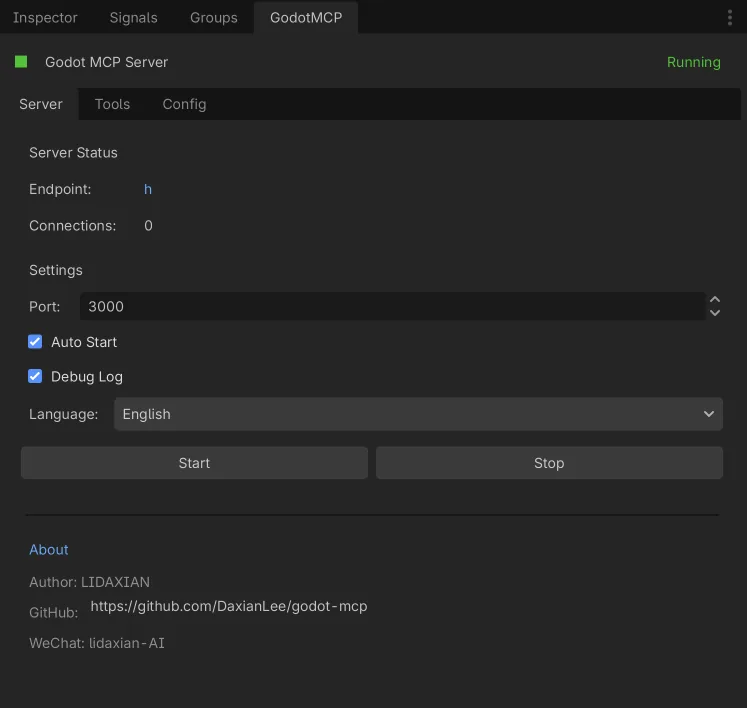
  • Default MCP server port 3000, configurable 1024-65535.

Data handling

Project content is read only as an operation needs it, and edits are applied on the machine. MCP does not proactively upload project source or assets to VberAI servers; whether tool results are sent to the cloud depends on the AI client and model. Login credentials stay in the local user directory; account and license checks require a network connection.
Godot MCP v1.0.0
Free trial
Pro Edition

Godot MCP

v1.0.0
Godot 4.x
C++ GDExtension
简体中文 | English | 日本語 | 한국어 | Français | Deutsch | Español | Português | Русский | Tiếng Việt | العربية

A Model Context Protocol plugin for the Godot 4.x editor that lets Claude, Cursor, Windsurf and other AI tools directly understand and operate your project. 23 capability categories and 74 professional tools close the loop across editing, running, asset creation and validation.

Free to use with a VberAI Studio Free Plan subscription or above

74
Pro Tools
23
Categories
11
Languages

Pro Edition Core Features

23 capability categories · 74 professional tools spanning editing, runtime, asset creation, project management and automated validation

15 tools

Scene & Node Building

Create, open and save scenes; add, remove, query, transform, group and toggle visibility on any node type. Build a full node tree atomically from a JSON spec, with automatic rollback on failure.

ScenesNodesAtomic Tree
6 tools

Scripts & UI Templates

Create, read, edit, validate and attach GDScript with script-editor control; generate common UI templates and apply dark / light / high-contrast themes in one click.

ScriptingUI & Themes
5 tools

Runtime Loop

Start / stop the game and read back its state, logs and errors; inspect the live scene tree, change properties, call methods, simulate input and capture real-time frames.

PlayRuntime Bridge
30 tools

Assets & Presentation

Resource and file management with JSON and project-wide search; one place to build and configure animation, shaders, TileMaps, particles, audio and navigation.

AnimationShaderTileMapParticlesAudioNavigation
11 tools

Project & Refactoring

Project info, settings, input maps and Autoloads; editor state, undo/redo and notifications; batch-edit nodes by type, analyze dependencies and lint scenes.

ProjectEditorBatch RefactorScene Lint
7 tools

Debug & QA

Logs, performance metrics, profiler and ClassDB reflection; a built-in Godot 4 knowledge base; batch QA assertions on nodes and properties; a live capability index with full parameter schemas.

DebugKnowledge BaseQA AssertHelp Index

Installation

Download and install the Pro edition via VberAI

Install via VberAI

  1. 1.Sign in to VberAI and download the Godot MCP Pro package on this page
  2. 2.Extract it and place the plugin in your Godot project's addons folder
  3. 3.Enable Godot MCP under Project Settings → Plugins
  4. 4.Open the plugin panel, sign in to VberAI and pick your AI client

VberAI Login vs. Offline Activation

What is VberAI login?

Sign in with your VberAI account and use this MCP for free while your VberAI Studio subscription covers it — no extra purchase and no activation code required.

What is offline activation?

No sign-in needed — activate with an activation code. It is purchased separately and is independent of a VberAI subscription.

VberAI Studio

Design game art faster with VberAI Studio

Design game-art assets fast and export your designs in one click to engine-ready scenes and prefabs for Cocos, Unity, Godot and more. Paired with MCP, it's a one-stop, end-to-end AI game development workflow.

Frequently Asked Questions

Common questions about Godot MCP

Start

Build Better Godot AI Tools Together

Sign in with a VberAI account or use an activation code. Free trial and paid licenses are available.